
To make flashcards from a PDF in MelonNote, import the document, review the extracted material, generate cards from the resulting note, and check their answers against the PDF. The most important step is choosing a coherent piece of material. A chapter on one topic is a better starting point than a textbook containing everything you might eventually need.
The app helps create questions; you still decide which information is accurate, relevant, and worth practicing. This guide walks through that decision with a concrete example.
Choose a section with a clear purpose
Suppose you have a PDF about cell transport. Your goal might be to distinguish diffusion, osmosis, and active transport. That gives you a specific reason to study the document and a way to judge the cards it produces.
Before importing, look at the heading structure, learning objectives, and any assigned questions. If the file contains several unrelated chapters, prepare the relevant section as a separate PDF using a document tool you already have. This is a preparation suggestion, not a claim that MelonNote has a built-in PDF splitting feature.
Use material you have permission to upload for AI processing. A document available to read in a course portal is not automatically licensed for every external service.
Import the PDF and check the source
- Open the note-creation options in MelonNote.
- Choose the document import option and select your PDF.
- Wait for the app to process the material into a note.
- Review the extracted text and summary before generating study tools.
- Give the note a name that identifies the topic and source.
Check a few difficult areas rather than only the first paragraph. Tables, multi-column layouts, formulas, and scanned pages can lose context during extraction. A document that looks clear to you may not produce equally clear text.
In our example, confirm that “against a concentration gradient” remains attached to the right transport mechanism. If a table’s rows have been mixed together, generating more flashcards will only multiply the confusion. Return to a cleaner source or a smaller section.
Generate cards from the note
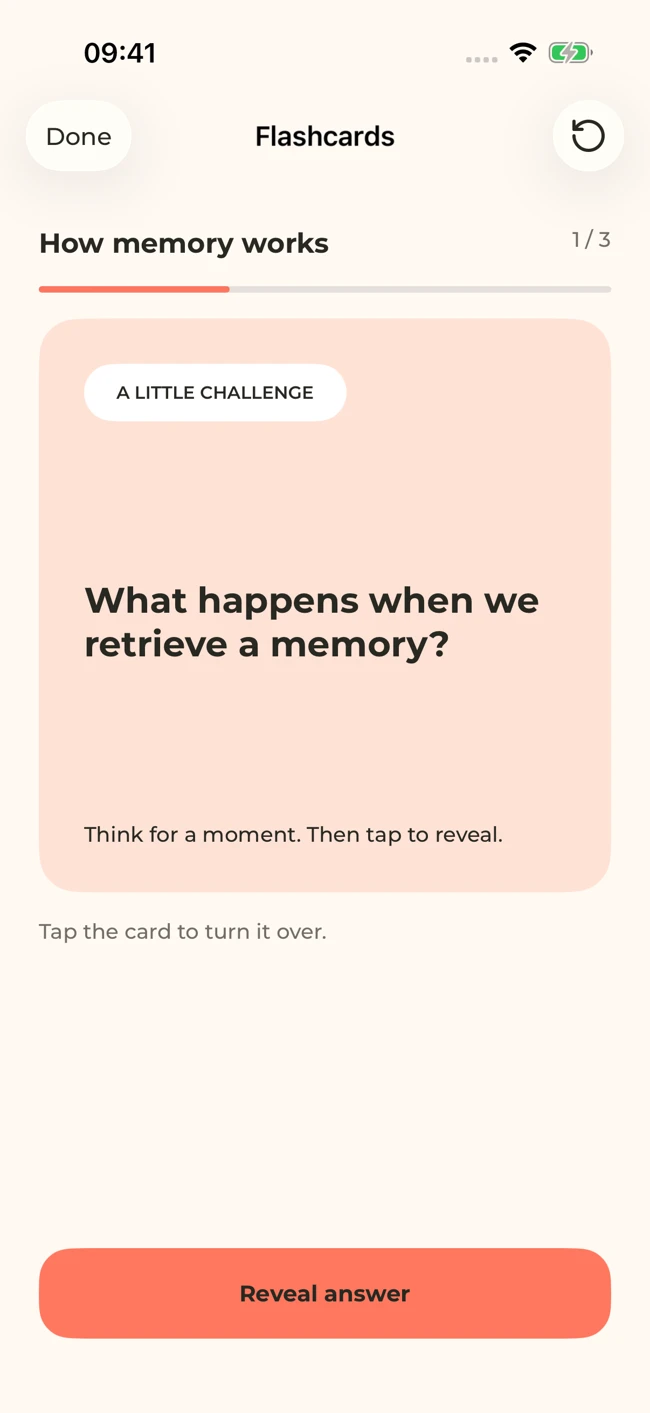
Use the note’s flashcard study tool to create questions from the material. Start by reviewing a few cards for scope and accuracy. Ask whether each question has a clear answer that the PDF actually supports.
A useful card might ask, “What distinguishes active transport from diffusion in this example?” A less useful card might ask, “Explain everything about transport.” The first gives you something specific to retrieve; the second hides several questions inside one prompt.
For important terms, include the context in your own study process. A word can mean different things in biology, physics, and everyday speech. If a card is too broad, use a more focused source note or ask the AI tutor for a clearer question, then check it before using it.
Review before you memorize
An attractive card is not evidence of a correct answer. Compare definitions, numbers, conditions, and exceptions with the PDF. Look for statements that sound plausible but are not in the source.
Use this quick quality check:
- Can I tell what the question is asking without seeing the answer?
- Does the answer test one main idea?
- Is the answer supported by the document?
- Is a missing condition making the answer misleading?
- Would understanding this help with my actual assessment?
Do not force every topic into a flashcard. A complex calculation needs worked problems. A diagram may need drawing from memory. An essay topic needs a coherent argument. Flashcards can support those tasks by testing components, but they do not replace the task itself.
Practice with the answer hidden
Try to answer before revealing the card. Saying the answer aloud or writing a few words makes the attempt more explicit than silently thinking “I knew that.” Compare your attempt with the source-backed answer and identify the precise missing element.
If you recognized the term but could not explain it, mark it for your own follow-up routine. Return later and try again without immediately rereading the source. Our flashcard writing article includes examples of prompts that test definitions, contrasts, and application.
For the cell-transport example, finish by explaining why one scenario calls for active transport. That checks whether you can apply the distinction instead of only naming it.
Connect cards to a broader study session
Use a quiz from the same note to see the ideas in a different question format. Ask the AI tutor about an explanation you keep missing. When you are ready, combine related notes into a study set to connect the chapter with your lecture material.
MelonNote is available for iPhone and Android with in-app purchases. Check the current app for import limits and premium access. If a file does not process, keep the original PDF, try a smaller or clearer document when appropriate, and contact support with the file type and error message.
You have succeeded when your cards lead to answers you can explain and verify. The number of generated cards is a secondary measure.
Check generated material against your original notes. App features, access limits, and screen labels can vary by platform and version.
Put this into practice.
Start with one useful note in MelonNote. Turn it into questions you can answer, ideas you can explain, and a reason to come back tomorrow.
Free download. In-app purchases available.