
To turn PowerPoint into flashcards, export the relevant slides as a PDF, import that PDF into MelonNote, check the extracted note, and generate cards from it. Then review the questions against the slides before studying. This route works with MelonNote's PDF workflow; it does not depend on direct PowerPoint file support.
The useful result is a small set of questions you can answer without looking. Converting every bullet into a card can leave you with an enormous deck that misses the lecturer's argument. Start with one lecture objective and the slides that explain it.
Export the slides you actually need
In PowerPoint for Windows, open File → Export → Create PDF/XPS. On Mac, use File → Export and choose PDF. PowerPoint for the web also offers a PDF download. Microsoft's PDF export instructions describe the options for each version.
Save a copy with a useful name, such as Research methods — sampling — lecture 3.pdf. Open the exported file before importing it anywhere. A successful export message does not tell you whether your chosen slides contain enough explanation to study independently.
Check three things:
- Order: a definition should stay near the example or exception that explains it.
- Context: spoken explanations and speaker notes may not appear in a slide-only export. Add your own accompanying notes where necessary.
- Legibility: formulas, labels and small chart legends should still be readable. A page containing six tiny slides may be less useful than one slide per page.
Keep the original presentation. A PDF is convenient for studying, but it is not a substitute for animated sequences, embedded demonstrations or explanations given during class.
Decide which slides deserve cards
Imagine a short presentation about research sampling. These are original teaching examples, not results generated by the app:
| Slide content | Useful study task | Card decision |
|---|---|---|
| Population: the group a study aims to describe | Explain a term | Make a focused definition card |
| Sample: the people or items actually observed | Distinguish related terms | Make a population-versus-sample card |
| A survey uses only volunteers from one club | Recognize a limitation | Make an application card |
| A decorative photograph of a campus | None specified | Skip it |
| A chart with an unlabeled axis | Resolve missing information | Check the source before making a card |
This selection step prevents “one slide equals one card” from becoming a rule. A dense slide might justify several questions. A transition slide might justify none. A diagram might require a drawing exercise as well as a verbal question.
Import the PDF and generate a first deck
Open MelonNote's capture or note-creation options and choose document import. Select the PDF, let the app process it, and inspect the resulting note. Exact controls can differ between iPhone and Android releases.
Check a definition near the beginning, a technical detail in the middle and the final section. In particular, look for bullets joined into a sentence that changes their meaning. If the source uses columns, check that the reading order is sensible.
Open the note's flashcard tool and generate a set. Treat this as a draft study resource. The PDF-to-flashcards guide covers source checks in more detail, while the PDF-to-quiz workflow offers another way to test the same topic.
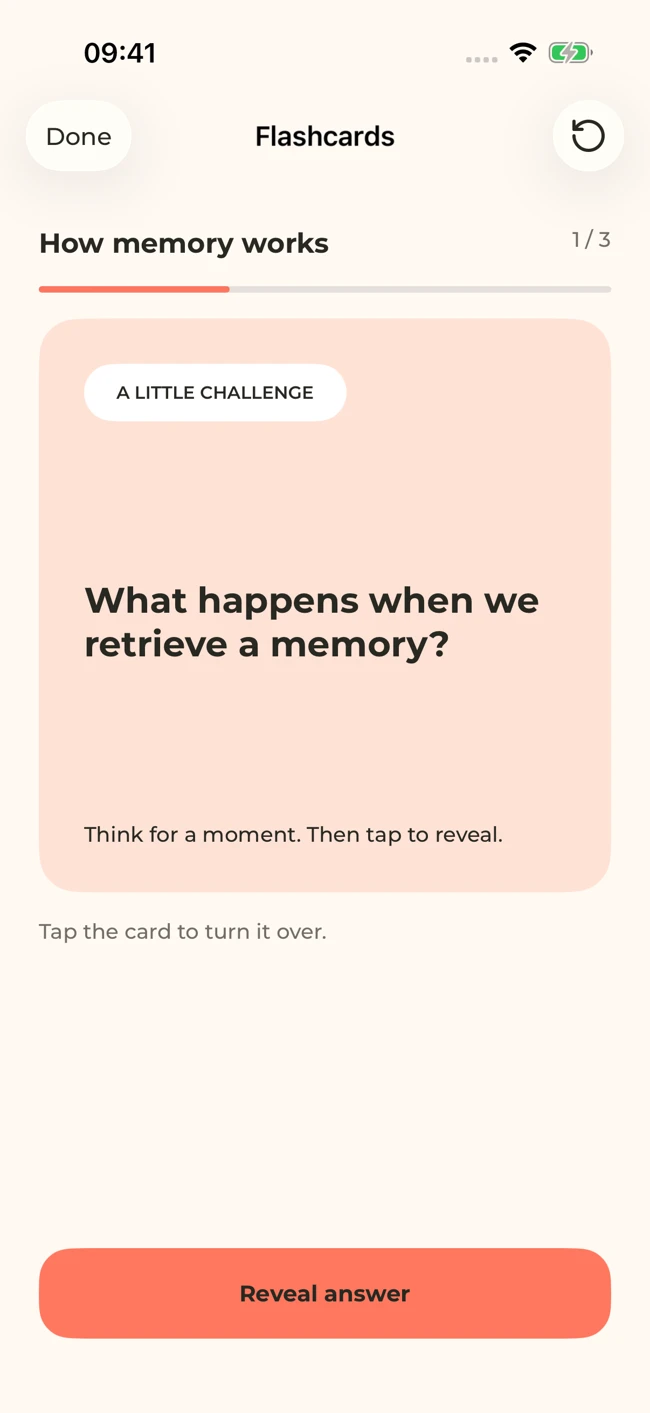
A MelonNote flashcard screen with sample study content. Attempt an answer before revealing it. Your generated questions will depend on your notes.
iPhone and Android · Features and screen layouts may differ.Improve the question before memorizing the answer
Compare these possible cards from the sampling example:
| Too vague | More useful question | Answer boundary |
|---|---|---|
| Sampling? | What is the difference between a population and a sample? | Identify the intended group and the observed subset |
| Volunteers | Why might a survey of one club's volunteers fail to represent the whole university? | Explain the selection limitation, without claiming every volunteer survey is useless |
| Good research | What extra information would you need before judging this sample? | Describe recruitment and who was eligible |
The better questions name the relationship you must retrieve. They also make it possible to decide whether your answer was complete. If the answer requires three unrelated paragraphs, split the task or use a longer explanation exercise instead.
When a generated card is inaccurate, return to the note and original slide. Correct your study material using the controls available in your version, or leave that card out of your review and keep a corrected question separately. Do not repeatedly rehearse a statement you know is wrong.
Our flashcard-writing examples show how to tighten prompts without stripping out important conditions.
Give your lecture slides a second job.
Export your slides as a PDF, bring them into MelonNote, and build a focused flashcard session from your own material.
Free download. In-app purchases available.
Keep diagrams connected to their meaning
A text card can ask what an arrow represents. It cannot establish that you can redraw an entire pathway. For a process diagram, practice the sequence on blank paper and explain why one stage leads to the next. Compare your drawing with the slide afterward.
For a graph, ask about the axes, trend and limits of the conclusion. “What does this graph prove?” is often too strong: the slide may only illustrate an association or a simplified example. Preserve the lecturer's wording about uncertainty.
Review a topic, not just a stack
Attempt each card before revealing the answer. Separate a complete explanation from a familiar-looking phrase. After the set, close the cards and explain how the ideas fit together. In the sampling example, that means describing the population, recruitment and limitation of one study in a connected answer.
Keep a short list of unresolved questions. Use the AI tutor for a focused explanation, then verify it against your course material. Return to the difficult cards in a later session instead of generating more cards to avoid them.
Common questions about slide flashcards
Can I use this on iPhone or Android?
Yes. The workflow uses the PDF import and flashcard features described for MelonNote on both stores. Export the presentation using a suitable PowerPoint version, save the PDF somewhere your phone can access, and check the app's current limits before importing a large document.
What about Google Slides?
The same study principles apply once you have a readable PDF. Use the presentation tool's PDF download option and inspect the file. MelonNote does not need a direct Google Slides integration for the PDF workflow.
Should I convert the whole semester at once?
Begin with a single topic. A manageable set helps you judge extraction and question quality. When topics connect, the combined-notes guide explains how to build a broader study session.
Check generated material against your original notes. App features, access limits, and screen labels can vary by platform and version.
Give your lecture slides a second job.
Export your slides as a PDF, bring them into MelonNote, and build a focused flashcard session from your own material.
Free download. In-app purchases available.