
To turn a PDF into a quiz, choose a coherent section, import it into MelonNote, review the extracted note and use the quiz tool. Check the questions and answers against the original PDF before relying on them for revision. A plausible question is only useful if its answer is supported by your source.
This is a mobile app workflow: you download MelonNote for iPhone or Android and import the document there. The website does not upload or process your PDF.
Choose a chapter-sized question
Start by finishing this sentence: “After studying this section, I should be able to…” A useful ending names an action: distinguish two methods, explain a process or apply a rule to a new example.
For a chapter on sampling, the goal might be “explain how participant selection affects what a survey can tell us.” That goal gives your quiz a purpose. Without it, a generator may produce many definition questions while missing the reasoning your course expects.
Use headings and learning objectives to choose the source. Avoid cutting a rule away from its exception just to meet an arbitrary page count. If you need a smaller file, prepare the excerpt in your PDF tool first and keep its source details.
Check the imported note before testing yourself
In MelonNote, choose document import, select the PDF and wait for the note to be created. Compare the note with the original, especially tables, formulas and multi-column pages. A quiz generated from an extraction error can make that error harder to notice.
Use this quick check:
- Find one important definition and confirm that its conditions survived.
- Inspect one number, unit or symbol if the section includes them.
- Check whether the last page and its conclusion are present.
- Look at a table or diagram separately; extracted text may not preserve relationships.
If a scanned file gives an incomplete result, try a clearer source or a smaller section. The photo-to-notes guide explains how to prepare readable images. Avoid repeatedly generating quizzes from material you have not checked.
A worked PDF-to-quiz example
Here is an original miniature lesson you can copy into your own practice document:
A university wants to understand all first-year students' experiences of induction. The population is all first-year students. A survey is sent only to members of one sports club, and completing it is voluntary. The responses describe those who answered. They may not represent students outside the club or those who chose not to respond. A larger number of responses from the same recruitment route does not automatically remove that limitation.
The following questions are editorial examples. They show how to inspect a quiz, rather than claim that an app produced this exact output.
| Question | Choices | Answer and reason |
|---|---|---|
| What is the population the university wants to understand? | A: club members; B: all first-year students; C: survey respondents | B. The intended group is broader than the group contacted or observed. |
| Which missing group matters to the recruitment limitation? | A: students outside the club; B: the people who wrote the questions; C: all university staff | A. Their experiences are part of the target question but not covered by this recruitment route. |
| Would more replies from the same club guarantee representation? | A: yes; B: no; C: only if the survey is shorter | B. More responses do not automatically repair who was eligible to participate. |
Notice the third question: it checks reasoning, not just a definition. To go further, explain what additional recruitment information you would need before judging the survey. That open response may be more useful than another multiple-choice item.
Generate and inspect your MelonNote quiz
Open the processed note and choose its quiz feature. Answer a question before checking the result. If you are unsure about a definition or explanation, return to the source instead of treating the app's confidence as evidence.
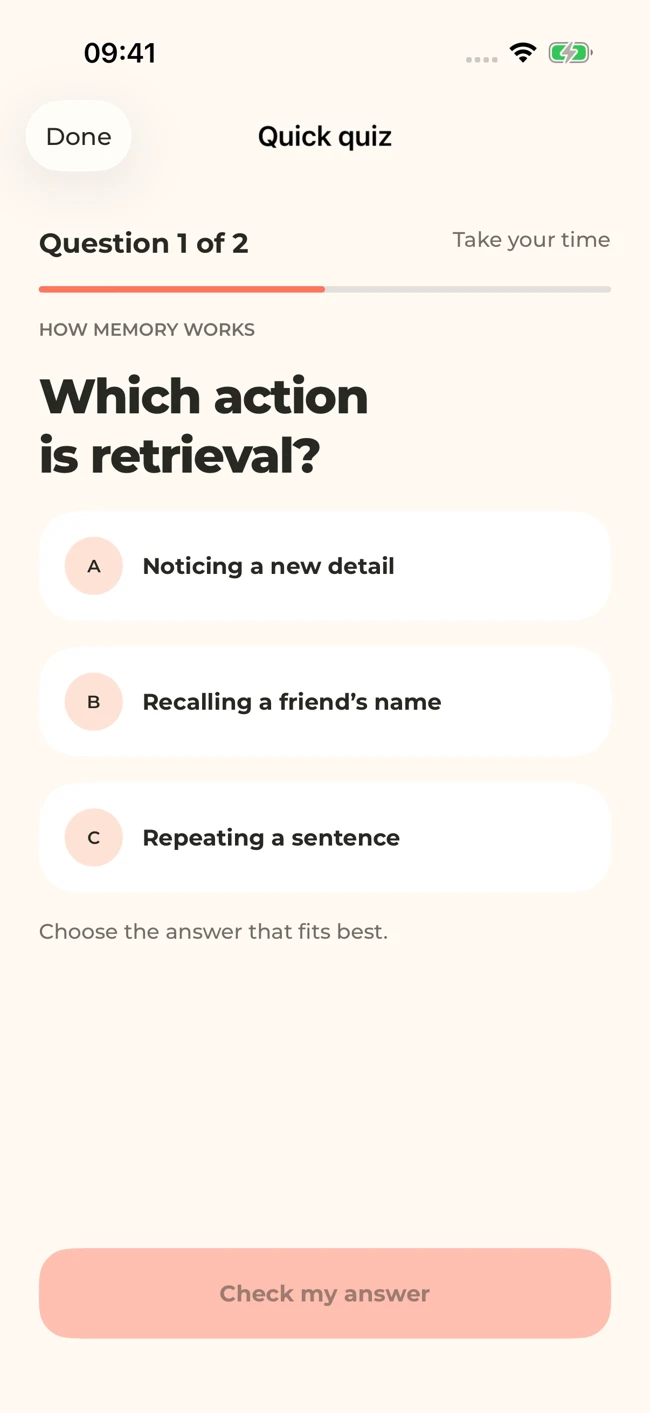
A MelonNote quiz screen with sample memory-study content. Check generated answers against your own source; the worked questions in this article are editorial examples.
iPhone and Android · Features and screen layouts may differ.The notes-to-quiz guide covers the general workflow. With PDFs, pay special attention to coverage: if every question concerns the first paragraph, create a separate note from the next coherent section and study it deliberately. Do not assume a short quiz tests every part of a long chapter.
Use four checks on every questionable item
- Source support: can you find the reason for the answer in your material?
- One clear task: does the question ask one thing, with enough context?
- A defensible answer: is there one best option under the stated conditions?
- Useful alternatives: do the wrong options expose an actual misunderstanding?
In the example above, “Which sampling method is always best?” would fail these checks. The lesson does not establish a universally best method. Replacing it with a question about the stated recruitment route makes the task answerable.
If two choices could be correct, do not count your confusion as a learning failure. Record why the item is ambiguous, check the source and use a clearer question for practice.
Make your next PDF an active study session.
Import a focused PDF into MelonNote, check the note, and create practice questions from the material you need to learn.
Free download. In-app purchases available.
Turn missed answers into the next session
Record what you chose, why you chose it, and what needs to change. “I forgot the definition” needs a different repair from “I confused the target group with the respondents.” The first may need a focused card. The second may need a comparison and a new scenario.
Use our multiple-choice error log to separate knowledge gaps from reading mistakes and flawed questions. Then test the idea with a different example. Memorizing that answer B was correct is not evidence that you understand sampling.
For concepts that need repeated retrieval, add a few PDF-derived flashcards. For explanations, ask the AI tutor a specific question and verify the response.
What a PDF quiz can and cannot tell you
A quiz can reveal gaps in the material it samples. It does not predict your exam score or prove that you can write an essay, solve a multi-step problem or perform a practical task. Match some of your revision to the actual assessment format.
If you have a long PDF, use a topic map and several focused sessions. Our long-PDF study routine explains how to keep the overall argument visible. Stop generating when you have enough useful practice to make an honest attempt and choose the next step.
Check generated material against your original notes. App features, access limits, and screen labels can vary by platform and version.
Make your next PDF an active study session.
Import a focused PDF into MelonNote, check the note, and create practice questions from the material you need to learn.
Free download. In-app purchases available.