
Choose Anki when scheduled flashcard review is your main requirement. Consider MelonNote when the first task is turning recordings, PDFs or photos into notes and AI-generated study material. They address different parts of studying: preparing useful material and revisiting knowledge over time. Decide which part currently causes you the most difficulty.
Publisher disclosure: This article is written by MelonNote. It compares documented capabilities checked on October 18, 2026, not measured retention, transcription accuracy or a timed head-to-head trial. We have not established that MelonNote reproduces Anki's scheduling, deck formats or review history.
The comparison does not imply endorsement or affiliation with the other products mentioned. Product names identify their respective owners.
What is the main difference between MelonNote and Anki?
Anki centers on a collection of cards and the next review. MelonNote centers on captured notes and the study tools you can create or use with them. That distinction is more useful than asking which app is universally better, because students can arrive with very different starting material.
| Decision | Anki | MelonNote |
|---|---|---|
| Starting point | A card collection you create or obtain | Recordings, PDFs, photos and notes |
| Main workflow in this comparison | Write, organize and review cards | Capture, inspect, summarize and practice from notes |
| Scheduled reviews | A documented core feature | This comparison does not establish an equivalent Anki-style scheduler |
| Other study activities | Card types and customization within the Anki ecosystem | Note-based quizzes, summaries and AI tutor questions |
| Device cost | Free desktop and AnkiDroid; paid official AnkiMobile on iOS | Free iPhone/Android download with in-app purchases |
| Transfer between these apps | Check exact supported formats | No direct Anki deck or review-history transfer is claimed here |
Anki's official site documents its downloads, card customization and review scheduling. MelonNote's features are described in its App Store and Google Play listings. The entries describe the workflows under discussion, not an exhaustive inventory of extensions or future releases.
When is Anki the more natural choice?
Anki is the more natural starting point if you already have accurate cards and want a system for returning to them. Its review documentation explains that you attempt an answer, reveal it, rate your recall and let the program determine a later review. That is a specific capability to evaluate, not a generic synonym for “flashcards.”
Imagine you have a well-maintained terminology deck for a year-long course. The answers are already checked, the cards are focused, and your problem is remembering which ones need attention. Rebuilding the same material in another app may introduce work without solving a new problem.
Your choice should also reflect how much control you want over the collection. Anki's manual describes note fields and card types, including cloze and image occlusion. Those tools may matter if your study tasks depend on hiding a diagram label or deriving several prompts from one structured note. Do not assume every flashcard app handles those tasks identically.
When is MelonNote the more natural choice?
MelonNote is worth trying when the material has not yet become a reliable study note. Perhaps the explanation is in a recording, the definition is on a slide and your example is handwritten. Your first question is “What should I study from this?” before it becomes “When should I review this card?”
Start with a small source. Record a permitted explanation, import a readable PDF, or photograph a clear page. Check the extracted content before asking for summaries, cards or quizzes. If a crucial condition is wrong in the note, generating more study tools from that note can repeat the mistake.
The PDF-to-flashcards guide shows how to choose a focused source section. If the material starts as a presentation, use the PowerPoint-to-flashcards workflow to export a PDF first. This comparison does not imply direct PowerPoint support or that every page should become a card.
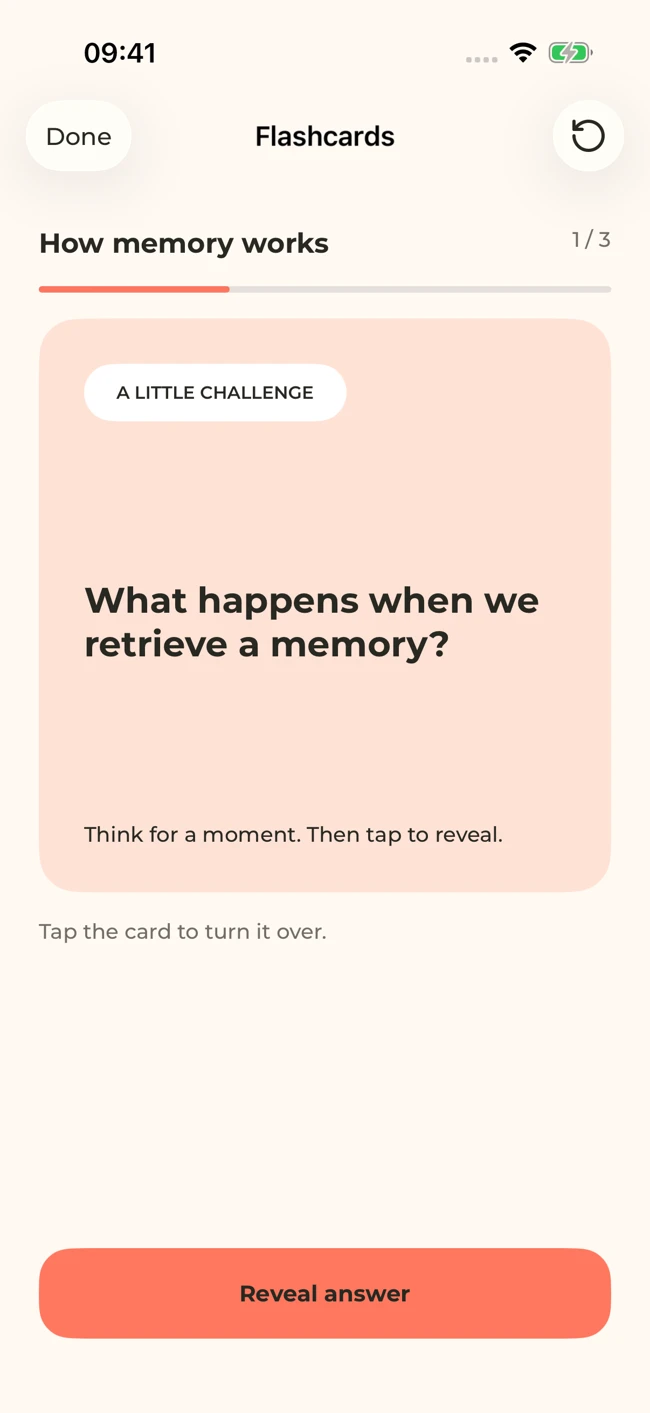
A MelonNote flashcard screen with sample study content. Attempt an answer before revealing it. Your generated questions will depend on your notes.
iPhone and Android · Features and screen layouts may differ.Does AI card generation replace writing good questions?
No. Generation can give you a starting set, but deciding whether a question is useful remains part of studying. A card can repeat the correct words and still be too vague, too broad or disconnected from the task your course expects you to perform.
Consider this original example from an introductory research-methods lesson. The source distinguishes an intended population from a recruited sample. A weak prompt is “Explain sampling.” A more focused prompt is “Which people does this conclusion claim to describe, and which people were actually observed?” The second question requires you to apply the distinction to a particular study.
Then check the answer boundary. If the answer includes recruitment method, sample size, measurement validity and a causal argument, one card may be doing several jobs. Separate the tasks so you can tell what you remembered. A long answer is not automatically more useful than a short one.
This editorial exercise applies to both manually written and AI-generated cards. Our flashcard-writing guide has more examples. Choosing a tool should make the checking process practical; it should not remove your opportunity to notice what the question is actually testing.
Is MelonNote an Anki alternative for spaced repetition?
Treat that as a feature-specific question. Anki documents scheduling controls, including FSRS, in its deck-options manual. We have not verified a matching scheduling system in MelonNote, so this article does not present its flashcards as a substitute for those controls.
You can plan to revisit material with many tools, including a notebook and calendar. That is different from a program maintaining review intervals from card-level history. If automated scheduling is essential, evaluate the scheduler itself: what information it uses, how you rate an answer, and what happens to missed reviews.
If you instead need to understand a lecture before creating a durable deck, MelonNote may be useful earlier in the process. A summary can expose the structure; a quiz can reveal a confusing distinction; a tutor question can give you another explanation to check. These are possible study activities, not evidence that the app will produce a particular retention result.
Turn a useful note into your first study set.
Capture a lecture, import a PDF or add a photo in MelonNote. Check the resulting note, then generate questions from the material you want to understand.
Free download. In-app purchases available.
How should you compare the apps with your own material?
Use a small evaluation that separates source preparation from review. Mixing those stages can lead you to judge an app for a task it was not the best candidate to do. The following is a suggested test, not a benchmark we have already run.
First choose one topic and write three learning goals in plain language. For example: define a term, distinguish it from a related term, and use it in a new situation. Keep the source and your expected answer criteria beside you. Those criteria provide a check that is independent of either app's output.
Next prepare a small group of questions. In MelonNote, inspect the note and generated cards. In Anki, create or review an equivalent set using its documented card workflow. Record problems in the wording, missing conditions and any extra correction work. Do not record a preference as though it were a measured accuracy percentage.
Finally return for another study session. Can you find the intended material quickly? Can you distinguish a guessed answer from a complete explanation? Is the next review action clear? Use the comparison worksheet to keep observations separate from expectations.
What should you consider on iPhone and Android?
Check the exact app before comparing costs. Anki's official download page links to AnkiMobile for iOS and the contributor-developed AnkiDroid for Android. The latter and desktop Anki are free; official AnkiMobile is paid. A similar app name does not establish that it belongs to that ecosystem.
MelonNote is free to download on both platforms and offers in-app purchases. That statement does not identify a fixed number of free notes, recordings or generations. Read the current purchase screen for your region and version rather than treating an example price from another device as a promise.
Evaluate your whole study day, not just the installation screen. If you write cards on a computer but review on a phone, verify that the specific cross-device workflow you need is supported. Anki documents its AnkiWeb synchronization service. We are not promising equivalent synchronization or deck compatibility for MelonNote in this comparison.
Can you use MelonNote and Anki together?
You can choose different tools for different stages without claiming a technical integration between them. One possible routine is to use MelonNote to work through a new lecture, then manually create a small set of verified questions in the card system you already use. Treat that as a deliberate editorial step.
Do not plan around an unverified one-click export. Before investing in a transfer workflow, test the formats, answer structure, media and any scheduling history you need to preserve. Keep the original materials. If a transfer omits explanations or source references, the exported card may no longer mean what you intended.
There is also a maintenance cost to using two apps. Decide where corrections belong and which collection you will actually review. If the same fact exists in two places, update both or retire one copy. A split workflow is useful only if each stage has a clear purpose.
Which should you choose for your next study session?
Use the immediate task as your decision rule. If you have accurate cards and want scheduled review, start with Anki. If your study material is still scattered across lecture audio, PDFs and photographs, test MelonNote's capture-to-study workflow on one topic. If both needs matter, test the handoff before committing to two separate collections.
Do not replace a working routine solely because another app generates more material. A useful collection has questions that match your learning goals, answers you trust, and a review habit you can sustain. The Quizlet alternatives overview adds other options if neither workflow fits.
Common questions
Can MelonNote import an Anki deck?
This comparison does not verify direct Anki deck import or review-history transfer. Check the current product's supported formats before planning a migration. You can still use the original source material to build new notes, but that is a different task from preserving an existing deck.
Which app is better for diagrams?
If hiding and recalling diagram labels is essential, inspect Anki's documented image-occlusion card type. If you are capturing a diagram as part of a photographed note in MelonNote, verify the resulting explanation and keep the original image visible. Photo analysis alone does not establish image-occlusion functionality.
Will either app guarantee better grades?
No app choice establishes that outcome. Judge whether the material is accurate, whether practice matches the assessment, and whether you can explain the ideas without looking. The tool should support that work rather than stand in for it.
Check generated material against your original notes. App features, access limits, and screen labels can vary by platform and version.
Turn a useful note into your first study set.
Capture a lecture, import a PDF or add a photo in MelonNote. Check the resulting note, then generate questions from the material you want to understand.
Free download. In-app purchases available.