
Consider Otter when live transcripts, meeting capture and shared conversation records are the main job. Consider MelonNote when you want to turn lecture material into notes, flashcards, quizzes and tutor questions. Both can be relevant to students. The better choice depends on what you need during the lecture and what you intend to do afterward.
Disclosure: MelonNote publishes this comparison. Official documentation was checked on October 18, 2026. We did not conduct a controlled transcription benchmark and do not claim that one app hears accents, technical terms or noisy rooms more accurately. The examples below are suggested evaluation tasks, not customer results.
The comparison does not imply endorsement or affiliation with the other products mentioned. Product names identify their respective owners.
What are you trying to finish after the lecture?
A transcript and a study session are different outputs. A transcript helps you locate what was said. A study session asks you to explain or apply the material without relying on that record. You may need both, but identifying the immediate task makes the comparison clearer.
| Requirement | Otter | MelonNote |
|---|---|---|
| Live conversation record | Documented live transcription and speaker identification | Recording-to-note workflow; equivalent live captioning or speaker-label behavior is not established here |
| Virtual meeting capture | Documented Zoom, Google Meet and Microsoft Teams workflows | Automatic meeting-bot attendance is not claimed |
| Lecture-specific context | Otter's education page describes virtual slide capture and lecture summaries | Import lecture PDFs and combine relevant notes into a study set |
| Practice from material | Check whether the current product's outputs fit your study task | Built-in note-based flashcards, quizzes and AI tutor chat |
| Free access | Basic plan with published transcription and import limits | Free download with in-app purchases; inspect current allowances |
| Best evaluation question | Can I find and use the conversation record I need? | Can I turn a checked note into useful retrieval practice? |
Otter's pricing page and education page document its features and plan distinctions. MelonNote's capabilities are described in the App Store and Google Play listings. A feature being outside this comparison is not proof that a product could never support it.
When should a student consider Otter?
Consider Otter when you need a conversation record while an online class or discussion is happening. Its education materials describe automatic attendance in supported virtual meetings, real-time notes and captured slides in virtual sessions. Those capabilities can matter if your task is following and revisiting a discussion rather than generating a card set afterward.
For example, a seminar may involve several speakers referring to a shared slide. You might need to locate the exchange that explains why a particular interpretation was challenged. A useful record in that situation preserves enough context to find the relevant conversation, not just a list of keywords.
Before relying on any automatic meeting workflow, check your course rules and the host's expectations. A service that can join a meeting is not automatically permitted to join your class. If accessibility support is the reason you need captions or a transcript, coordinate with your institution about the approved arrangement and the requirements it must meet.
When should a student consider MelonNote?
Consider MelonNote when your main task is revising the material after capture. You can start from a permitted recording, inspect its note, review a summary and create practice questions. If the explanation also depends on slides or a photographed page, keep those as related notes for a focused study set.
A useful first session is deliberately small. Choose one concept from the lecture and write down what a complete answer would include. Generate a few study questions, attempt them, then compare the answers with the original explanation. The goal is to discover a gap you can work on rather than to create the largest possible collection.
The lecture-recording guide explains the capture-to-study sequence. For a class where spoken examples and PDF slides need to be connected, use the recording-and-slides walkthrough. Neither guide promises automatic synchronization between a slide number and an audio timestamp.
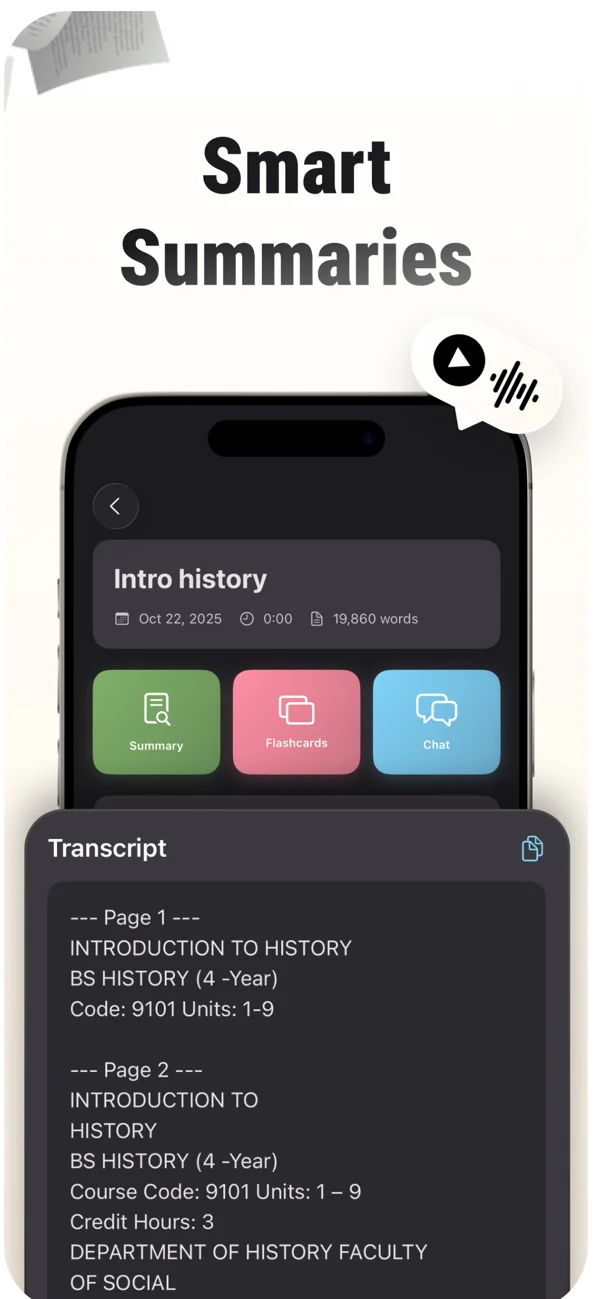
An App Store screenshot showing a note and its study tools. Keep the original source available while reviewing summaries, cards and tutor explanations.
iPhone and Android · Features and screen layouts may differ.What does Otter's free plan allow?
Otter's current Basic-plan help page lists 300 transcription minutes per month, a 30-minute limit per conversation and three audio/video file imports per account. The import allowance is described as lifetime, not monthly. The page also describes access to the 25 most recent conversations.
Those limits measure different things. A monthly allowance does not remove a per-conversation limit. Having minutes remaining also does not mean an exhausted file-import allowance has reset. Check all the constraints that affect your particular recording route before using it for an important lecture.
For an illustrative 75-minute lecture, a 30-minute accessible transcription limit would not cover the whole explanation. That arithmetic says something about the plan, not the product's transcription quality. Check the current paid options or an approved alternative if your actual requirement exceeds the free allowance.
Is MelonNote a free Otter alternative for students?
MelonNote is a free download with in-app purchases, not a promise of unlimited free lecture transcription. Before choosing it as an alternative, inspect the current access limits and subscription details on your device. This article does not establish that its total cost is lower than Otter's for your workload.
Write down a normal week's requirements: the number of classes, typical recording length, whether you need to import existing files, and whether your school supplies a tool. Compare that workload with the exact plans available to you. Avoid treating a promotional price or free trial as the ongoing cost.
Also separate recording from later study. You may already have a permitted recording supplied by your institution and only need a way to study its content. Or you may need live access during the class. Those are different requirements and may lead to different choices even within the same course.
How can you test transcript quality fairly?
Use a recording you are allowed to process and a short section you can verify yourself. A fair test begins with the same source and an explicit checklist. Comparing unrelated recordings would mix app behavior with microphone distance, speaker clarity and room conditions.
Choose a section containing a technical term, a number, a contrast and a qualification. For example, an instructor might say that an association does not establish a cause, then give an exception or limitation. Losing the word “not” matters more than changing punctuation in that sentence.
Check the transcript against the recording and label the actual error. Was a name misspelled? Was a number wrong? Did two speakers' statements get combined? Record what correction was needed and whether the app makes returning to the source practical. Do not turn a few convenient examples into a universal accuracy percentage.
Our transcript-checking guide explains the details that can change a study answer. The same inspection should happen before you use a transcript to produce a summary or quiz. A correct-looking downstream answer can still repeat an upstream transcription error.
A worked example: from a transcript to a revision question
Suppose a research-methods lecture explains the difference between observing an association and establishing a causal effect. This is an original editorial scenario, not a transcript produced by either app. Your notes contain a definition, a study example and the instructor's caution about interpretation.
A transcript-oriented task is: “Find the part where the instructor explains the limitation.” A study-oriented task is: “Explain why the study example does not establish the stronger claim.” The first helps you locate evidence; the second asks you to use it.
After checking the note in MelonNote, generate a small quiz or card set. Inspect whether the questions preserve the limitation. If a card asks “What caused the outcome?” when the lecture only described an association, the question has changed the claim and should not become part of your review without correction.
Then close the note and explain the difference using a fresh example. Return to the source afterward. If you can repeat the definition but cannot apply it, ask a focused AI tutor question and verify the explanation. That gives the next session a concrete purpose.
Give your lecture recording a study plan.
Record with permission in MelonNote, review the resulting note, then practice with questions based on the explanation you want to understand.
Free download. In-app purchases available.
What if you already have a Voice Memo or video recording?
Check the exact import route instead of assuming every recording app accepts every file. Otter's import documentation describes audio/video imports from computers and mobile devices, supported formats and a 5 GB file-size limit. Plan allowances still apply to those imports.
For MelonNote, this article's verified recording workflow starts with recording in the app. It does not promise compatibility with every Voice Memo, video container or file-sharing route. Check the options available in your current version before relying on an existing-file workflow. Keep the original recording regardless of the tool you test.
If an institution provides a transcript or slides, you may be able to study from those approved materials without making another recording. Read the audio-to-text notes guide for how to inspect a transcript before using it as study material. A summary supplied by someone else still deserves the same source checks.
Can either tool replace taking your own notes?
It can reduce some capture work, but you still need to decide what matters. During a lecture, a short gap log can record the example you did not follow or the question you want to ask. That makes later review more targeted than rereading every line of a transcript.
Try three marks: one for an important distinction, one for a missing explanation and one for something to verify. The fast-lecture note-taking guide includes a downloadable version. You can use it with either app, an institutional transcript or paper notes.
After class, resolve the gaps that affect understanding before generating more practice material. A searchable record helps you return to an explanation; answering a question helps you check what you can do with it. Keep both purposes visible when choosing your tools.
Common questions
Does MelonNote automatically join Zoom lectures?
This comparison does not establish that feature. Otter documents supported automatic meeting capture. MelonNote's workflow here uses permitted recording and imported course material followed by note-based study. Choose based on the capture method your class permits and your version supports.
Which app is more accurate?
We have not run a controlled benchmark and do not claim a winner. Test a permitted sample with the language, microphone and technical vocabulary you actually use. Record concrete errors and correction steps rather than relying on a general accuracy slogan.
Which should I try first?
Start with Otter if live conversation capture is the missing part of your routine. Try MelonNote if you have material to turn into study questions and want that workflow on your phone. For a wider shortlist, see the study-app alternatives comparison.
Check generated material against your original notes. App features, access limits, and screen labels can vary by platform and version.
Give your lecture recording a study plan.
Record with permission in MelonNote, review the resulting note, then practice with questions based on the explanation you want to understand.
Free download. In-app purchases available.