
Consider Gemini Notebook, formerly NotebookLM, when exploring and checking answers across a source collection is your priority. Consider MelonNote when you want a mobile routine for capturing notes and turning them into study practice. Both offer overlapping study tools, so compare a real task instead of assuming one has exclusive access to AI flashcards or source questions.
Naming note: Google renamed NotebookLM to Gemini Notebook in July 2026. If you know the tool as NotebookLM, this comparison covers the same product under its current name. It remains a distinct product with its own source-based workflow.
Disclosure: MelonNote publishes this article. We reviewed official documentation on October 18, 2026. The recommendations concern documented workflows, not a controlled comparison of model accuracy or learning outcomes. Availability can differ by device, account, country and plan.
The comparison does not imply endorsement or affiliation with the other products mentioned. Product names identify their respective owners.
What can both apps help you do?
Both can help you work with learning material and create study activities. The useful comparison is how you select the source, inspect an answer and return to the material during your next session. A feature label by itself cannot show whether that sequence fits your needs.
| Study requirement | Gemini Notebook | MelonNote |
|---|---|---|
| Work with source material | Source collections with questions and generated outputs | Notes from recordings, documents and photos, with related notes available for study sets |
| Practice questions | Google's mobile guide includes flashcards and quizzes | Note-based flashcards and quizzes |
| Follow an answer back to evidence | Source citations are documented in chat | Keep original notes available and verify tutor explanations; equivalent citation navigation is not claimed here |
| Study on a phone | Mobile apps are documented | iPhone and Android apps |
| Cost to begin | Standard access without a paid upgrade, subject to eligibility and limits | Free download with in-app purchases; verify current feature access |
| Main evaluation task | Can you inspect how sources support an answer? | Can you move from captured course material to useful practice? |
See Google's mobile feature guide, chat documentation and plans, alongside MelonNote's iPhone and Android listings. A capability in one row should not be read as a promise about every platform version.
When is Gemini Notebook a strong fit?
It is worth evaluating when your question depends on several documents and you need to inspect the evidence. Google's chat documentation describes choosing which sources to use and opening citations to examine the quoted material in context. That can be important when two readings use similar terms but make different claims.
Imagine a seminar on public transport with a council report, a research paper and a lecturer's slides. Asking “Does this policy work?” is too broad. A more useful question is “Which outcomes does each source measure, and where do the findings disagree?” The quality of the answer depends partly on whether you can keep those sources separate.
After receiving an explanation, inspect the relevant passages yourself. Check the date, population, comparison and uncertainty. A citation provides a route back to evidence; it does not automatically establish that every conclusion drawn from that evidence is justified. That is why the evaluation should include source inspection rather than only whether an answer sounds polished.
When is MelonNote a strong fit?
MelonNote is worth testing when capturing and studying your course material happens primarily on your phone. You can begin with a permitted lecture recording, a PDF or a clear photograph, inspect the note, then use a summary, cards, quiz or tutor question. The workflow can remain organized around a course folder and a small study set.
For example, a lecture may explain a concept more clearly than the slides do. A handwritten page might contain the example that helped it make sense. Preserve those sources as distinct notes before combining them for a focused study task. Combining should help you relate ideas, not erase where they came from.
The recordings-and-slides walkthrough shows a practical sequence. If you only need one source, begin with the AI study-guide workflow instead. A larger set is not automatically a more useful one.
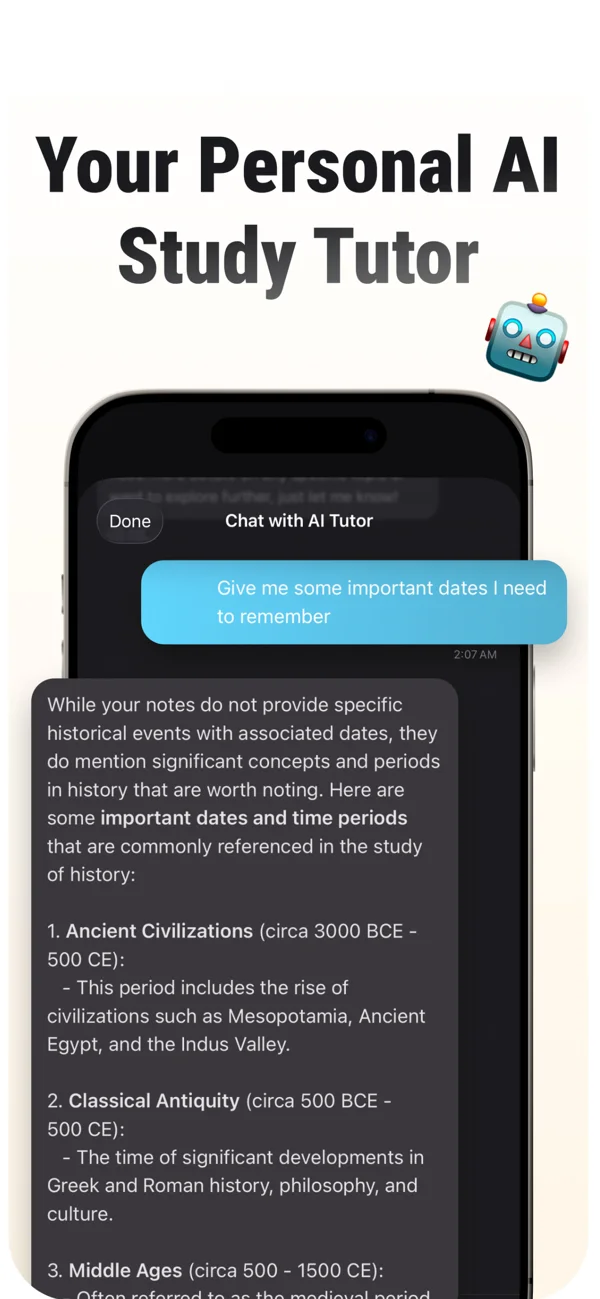
An App Store screenshot of MelonNote’s AI tutor. The conversation shown is sample content. Verify factual explanations in your own course sources.
iPhone and Android · Features and screen layouts may differ.Can NotebookLM make flashcards and quizzes on mobile?
Yes. Google's current Gemini Notebook mobile documentation includes flashcards and quizzes, along with questions about sources and Audio Overviews. You should not choose an alternative based on an old claim that these study tools are unavailable on phones. Check the current app and your account's access before comparing.
The more useful question is what you want the questions to test. A set of definitions, a sequence of events and an argument with competing interpretations require different prompts. For each generated set, compare its coverage with your learning objectives and inspect the answers against the source.
In MelonNote, the same principle applies: a generated quiz is a draft practice resource. Our PDF-to-quiz example shows how to check whether a question has one defensible answer. A clear workflow for fixing or excluding a bad item is more useful than a large question count by itself.
How should you compare PDF and recording workflows?
Use the kinds of sources you actually study. A clean typed handout is different from a scanned page, and a quiet explanation is different from a distant lecture recording. Testing only the easiest input can hide the problems that matter during a normal week.
Google's source documentation explains supported imports and, on Android, a voice-recording workflow that adds a transcript as a source. It notes that the original voice recording is not retained by that feature. If retaining and replaying audio matters, verify the exact route you intend to use and keep your original recording separately.
MelonNote's published workflows include recordings and note study, and its iOS release history documents recording playback and audio sharing. Check the behavior in your own platform version. Neither a transcript nor a summary should replace the source when a disputed word, number or qualification matters.
For slides, export a readable PDF and inspect it before import. If the spoken explanation supplies a missing condition, preserve that condition in your study note. An app cannot recover a source detail that was absent from the file you gave it.
A worked example: comparing two explanations of one idea
Here is an original evaluation scenario. Your slide defines a “representative sample,” while a lecture note describes a survey recruited through one student club. You want to explain why the recruitment route could matter when making a claim about the whole university.
Prepare three questions before opening either tool:
- What population does the claim concern?
- Who was actually invited or observed?
- What information is missing before we can judge the limitation?
These questions give your test a stable target. They also prevent a confident paragraph from passing simply because it contains familiar vocabulary. A useful answer should connect the intended population to the actual recruitment and avoid inventing details about participation.
Then ask a focused question using only the selected materials: “Compare the slide definition with this survey example. Separate what the sources state from what remains unknown.” Inspect the answer against the originals. If the app introduces a sample size that neither source contains, record that as an unsupported detail rather than incorporating it into your revision.
Finally create a small practice set. Include one definition question and one application question. Attempt both without the source visible, then reopen it to check your explanation. This is a proposed test you can run; the example is not an output from either app or evidence of comparative accuracy.
Give your course notes a focused study session.
Add a useful source to MelonNote, check the note, and use flashcards, a quiz or tutor questions to work through one topic on your phone.
Free download. In-app purchases available.
What should you check about free access and accounts?
Google documents Standard access without a paid upgrade through an eligible account, with higher tiers offering additional capacity or features. That should not be interpreted as unlimited use. Account eligibility and school licensing can also affect what you see. Consult Google's current plan guide for your situation.
MelonNote's store listings offer a free download and in-app purchases. Before choosing it for a budget-sensitive workflow, verify the actions you need: recording, importing, generating study material and returning to existing notes. A download price does not describe every ongoing allowance.
If your school provides an approved tool, include that in your decision. Check the rules for uploading course material or recording classes before moving sources. Do not infer that “stored on my phone” means no processing occurs elsewhere; read each product's relevant privacy information and permissions for the features you use.
Which app should you use for research papers?
For a task built around tracing claims across several papers, evaluate Gemini Notebook's documented source-citation workflow carefully. For collecting a paper with lecture notes and turning selected concepts into mobile practice, evaluate MelonNote on that exact task. The decision depends on what you need to produce at the end.
Keep a structured reading note regardless of the app: research question, method, main finding, limitations and relevance to your course. Do not confuse the authors' interpretation with a result they directly measured. The research-paper study guide provides a worked example and a downloadable template.
A useful comparison asks whether the app helps you preserve those distinctions. It should not be judged solely by the length of its summary. An answer that clearly marks uncertainty can be more useful than a fluent explanation that makes two different studies sound equivalent.
How do you choose without testing every feature?
Pick one task that represents most of your study sessions. If you usually compare readings, evaluate source selection and evidence checking. If you usually capture lecture material on a phone, evaluate capture, correction and the next practice session. Test a small sample before moving a complete course.
Write down the point where you needed an extra step. Perhaps you could not find the original passage quickly, or a diagram lost its labels during extraction. Those observations are better decision evidence than a generic “best AI app” label. Use the comparison worksheet to record them.
You can also keep a tool that already works and add another only for an unmet need. There is no requirement to replace your entire study system. Before using both, decide where corrected notes live so that a source mistake does not survive in a second copy.
Common questions
Is MelonNote a free NotebookLM alternative?
It is an alternative workflow with a free download and in-app purchases. We do not describe every MelonNote feature as free or claim identical allowances. If ongoing free access is the main requirement, compare the specific actions and limits in the Quizlet alternatives overview.
Does MelonNote provide the same source citations?
This comparison does not establish equivalent citation navigation. Keep your original notes available and verify explanations against them. If opening a cited passage from every answer is essential to your work, test that requirement directly before choosing a tool.
Can I use either app instead of reading the material?
Use it to guide reading and practice, not to assume a generated answer captures every exception. Attempt your own explanation, inspect the relevant source and record unresolved questions. That sequence remains useful whichever app you choose.
Check generated material against your original notes. App features, access limits, and screen labels can vary by platform and version.
Give your course notes a focused study session.
Add a useful source to MelonNote, check the note, and use flashcards, a quiz or tutor questions to work through one topic on your phone.
Free download. In-app purchases available.