
To turn lecture notes into a mind map, choose one central topic, group related ideas into branches, and check every branch against the source. Use short labels to expose the structure, while keeping the original note available for the qualifications that a compact map cannot hold.
A mind map usually radiates from a central topic. A causal diagram answers a different question: which changes produce which effects? Do not assume that a line between two labels proves a causal relationship. Newcastle University's note-taking guide includes mind mapping among several ways to organize lecture material.
Start with a question narrow enough to map
“History” is too broad for a useful first map. “How should I evaluate this historical source?” gives the branches a job. A small scope also makes it easier to notice when an AI-generated map adds a theme absent from the lecture.
Here is our original note passage:
To evaluate a historical source, ask who produced it and when, who it was intended for, what claims it makes, and what it cannot establish by itself. An audience can influence what an author chooses to explain or omit. A source may be useful for one question while limited for another. Compare disputed claims with other relevant evidence, and separate the source's wording from your interpretation.
This is a general study exercise, not an account of a particular historical event. Its four themes can become the first level of the map.
A completed map with four branches
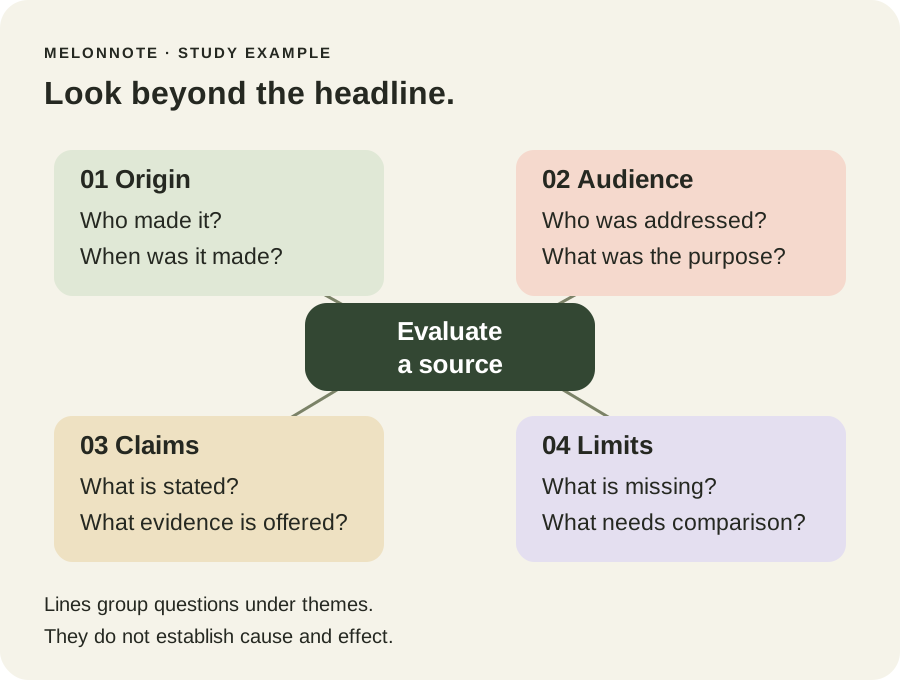
The map's structure is also available as text:
- Origin: Who made it? When was it made?
- Audience: Who was addressed? What was the purpose?
- Claims: What is stated? What evidence is offered?
- Limits: What is missing? What needs comparison?
The labels compress the note rather than reproduce it. “What evidence is offered?” is a useful check of the claims branch, but the map cannot answer that question until you apply it to an actual source.
Apply the map to a fictional source
Imagine a fictional 1920 town-library leaflet asking residents to support longer opening hours. It says that evening access would help workers. The leaflet gives no attendance figures and does not describe the cost. These details are invented for this exercise, not historical findings.
Work through the branches:
| Branch | What the leaflet lets you record | What remains uncertain |
|---|---|---|
| Origin | A town-library leaflet dated 1920 | The named author and drafting process |
| Audience | Residents asked to support a proposal | Which residents received or read it |
| Claims | Evening access would help workers | How much benefit, and for whom |
| Limits | No attendance or cost figures are supplied | Whether the proposal was implemented or effective |
A sensible map keeps those uncertainties. It would be a mistake to turn the claim into “Longer hours increased attendance.” That is a possible outcome, but it is not stated or demonstrated by our source.
Catch a misleading branch before studying it
Suppose a draft map reads:
Audience → workers → longer hours succeeded
The first connection may identify an intended beneficiary. The last label asserts a result. Move “succeeded?” into the questions needing further evidence, and keep the actual claim under “Claims.”
This is why a visually pleasing map still needs checking. Ask whether each branch contains a fact from the note, your interpretation or an unresolved question. A branch that mixes all three can make an uncertain idea look settled.
If you need to express a specific relationship, write a sentence beside the map: “The leaflet argues that evening access would help workers.” That is more precise than an unlabeled arrow between “workers” and “benefit.”
Create a mind map in MelonNote on iPhone
Open a note with usable text from a permitted recording, document or photo. Review the text first. In the summary controls, choose Summary format, select Mind Map, and create the summary. In the iPhone interface, Explore mind map opens the map for closer inspection. Controls can vary with the release.
The App Store release history documents this format. It is a compact generated view of your note, not a promise of a freeform diagram editor or automatic verification of relationships. This iPhone walkthrough does not establish the same format controls on Android.
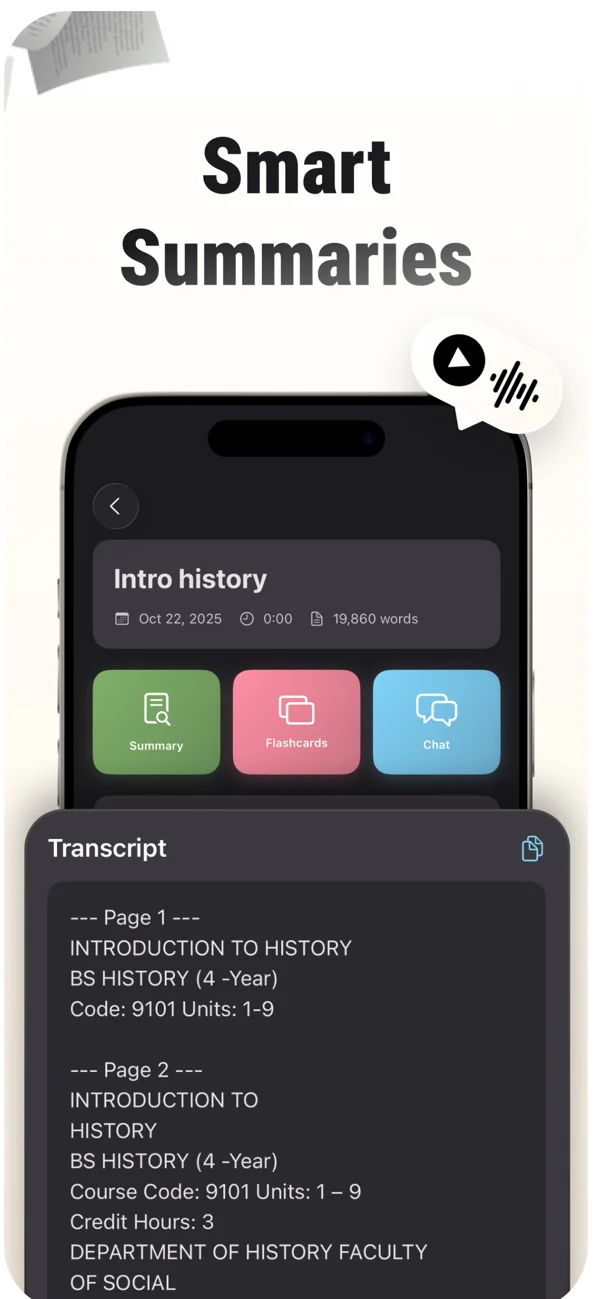
An App Store screenshot showing a note and its study tools. Keep the original source available while reviewing summaries, cards and tutor explanations.
iPhone and Android · Features and screen layouts may differ.The image above shows the app's general note tools; the source-evaluation map earlier in this article is an editorial illustration, not a captured MelonNote result. Compare your own generated map with your own original note, especially the branch labels that compress long explanations.
Map one lecture, then check the connections.
Create a checked note in MelonNote and try the Mind Map summary format on iPhone. Use the map to ask better questions about your source.
Free download. In-app purchases available.
Turn the map into questions
Hide the branch labels and try reconstructing the four themes. Then go beyond remembering their names. Ask:
- How could an intended audience affect what a source emphasizes?
- Why might a source be useful without proving every claim it makes?
- What additional evidence would you seek before claiming the library proposal succeeded?
The third question might lead you to records of implementation and attendance, while also checking whether those records answer the same question. The map helps identify that next investigation; it does not supply missing evidence.
Use MelonNote's tutor to ask about one relationship in your checked note. For example: “Separate what this source states from what I have inferred about its effects.” Compare the reply with the passage before incorporating it into your revision.
When should you use several notes?
Begin with one note if you are learning the format. Once its branches make sense, a combined study set can help you ask questions across related sources. Keep each source's identity visible so that an interpretation from one note does not become a fact attributed to another.
If you have a lecture transcript and a slide deck, check their agreement first. Our recording-and-slides walkthrough explains how to handle missing context and contradictions before combining them.
Common questions
Is a mind map better than an outline?
Use a map when seeing themes around a central question helps you navigate the topic. Use an outline when a nested sequence or argument is easier to follow line by line. You can test both on a small section without redrawing your entire course.
How many branches should I include?
Use enough to represent the central distinctions without making the map unreadable. This example uses four because the source presents four themes. A compact app-generated map may omit detail; keep the longer source and add separate review questions for missing qualifications.
Can I study only from the finished map?
Use it as a route back into your knowledge. Reconstruct the branches, explain the connections and verify uncertain points in the source. Familiarity with the picture is not the same as being able to answer a new question about it.
Check generated material against your original notes. App features, access limits, and screen labels can vary by platform and version.
Map one lecture, then check the connections.
Create a checked note in MelonNote and try the Mind Map summary format on iPhone. Use the map to ask better questions about your source.
Free download. In-app purchases available.