
To turn handwritten notes into flashcards, photograph a clear page, add it to MelonNote, inspect the extracted note, and generate cards from the checked material. Review the questions against the photo before studying them. Handwriting, symbols and page layout can be misread, so the checking step is part of the workflow.
Start with one page you understand well enough to verify. A successful image upload does not mean that every formula, arrow or crossed-out correction was interpreted correctly. Your first objective is a trustworthy note; a deck comes afterward.
What kind of handwritten page should you start with?
Choose a page with a single topic, readable text and enough context to explain the abbreviations. A page of isolated initials may make sense during a lecture but become ambiguous later. If your own reading requires another page, include that context or write out the missing explanation before building a study set.
Place the page flat, use even lighting and keep the camera approximately parallel to it. Make sure the writing fills enough of the image to read. Avoid cutting off a heading, the end of an equation or a note in the margin. If there is glare, move the light or page rather than relying on software to reconstruct hidden text.
For a crowded page, consider separate photographs of logical sections while retaining an overview image. Keep the original paper. The photo-to-notes guide explains the general capture workflow; this article focuses on deciding what should become a flashcard afterward.
How do you add the photo in MelonNote?
Open the app's note-creation or capture options and choose the camera or gallery route available in your version. Add the clear image and let MelonNote analyze it. Review the resulting note before generating cards. Exact button labels and screen layouts may differ between iPhone and Android.
Compare the note with the photograph line by line where precision matters. Pay special attention to negatives, decimal points, dates, mathematical operators and units. A plausible-looking sentence is not enough if it changes the relationship between two ideas.
If the extracted material is wrong, correct it using the controls available in your version, or retake the image with clearer text. If the page remains ambiguous, write a separate checked note rather than repeatedly generating from an unreliable source. Do not assume the app can infer what an illegible word was meant to say.
A worked example: handwriting, numbers and units
Imagine your page contains this original classroom example:
Average speed = total distance ÷ elapsed time. A runner covers 120 m in 20 s. Average speed = 6 m/s.
The general relationship is explained in OpenStax's speed and velocity chapter. The runner and numbers here are an editorial example, not a photo processed by MelonNote or a claim about its recognition accuracy.
Before generating cards, check three details. Did “120 m” remain a distance? Did “20 s” remain seconds rather than minutes? Did the division sign become a multiplication sign? Any one of those changes would create the wrong practice problem.
Then compare possible questions:
| Question | What it tests | Checked answer |
|---|---|---|
| How do you calculate average speed? | Recall of the relationship | Total distance divided by elapsed time |
| A runner covers 120 m in 20 s. What is the average speed? | A short calculation with units | 120 ÷ 20 = 6 m/s |
| Does an average of 6 m/s mean the runner moved at exactly 6 m/s throughout? | Interpretation | No; the average does not specify every moment of the motion |
These questions perform different jobs. Keeping only the formula might miss whether you can use it. Keeping only the numerical example might let you memorize “6” without understanding why. Choose questions that match the work your course asks you to do.
How do you generate and check the flashcards?
Open the checked note's flashcard tool and generate a set. Read each question with the original page nearby. Remove or avoid unreliable items using the controls your version provides, and keep a corrected question separately if needed. Generating again is not a substitute for resolving an ambiguous source.
Ask whether each prompt names a clear task. “Speed?” is vague. “How do you calculate average speed from distance and time?” gives you a more useful answer boundary. If the answer contains several unrelated ideas, split the practice into separate questions or use a longer explanation exercise.
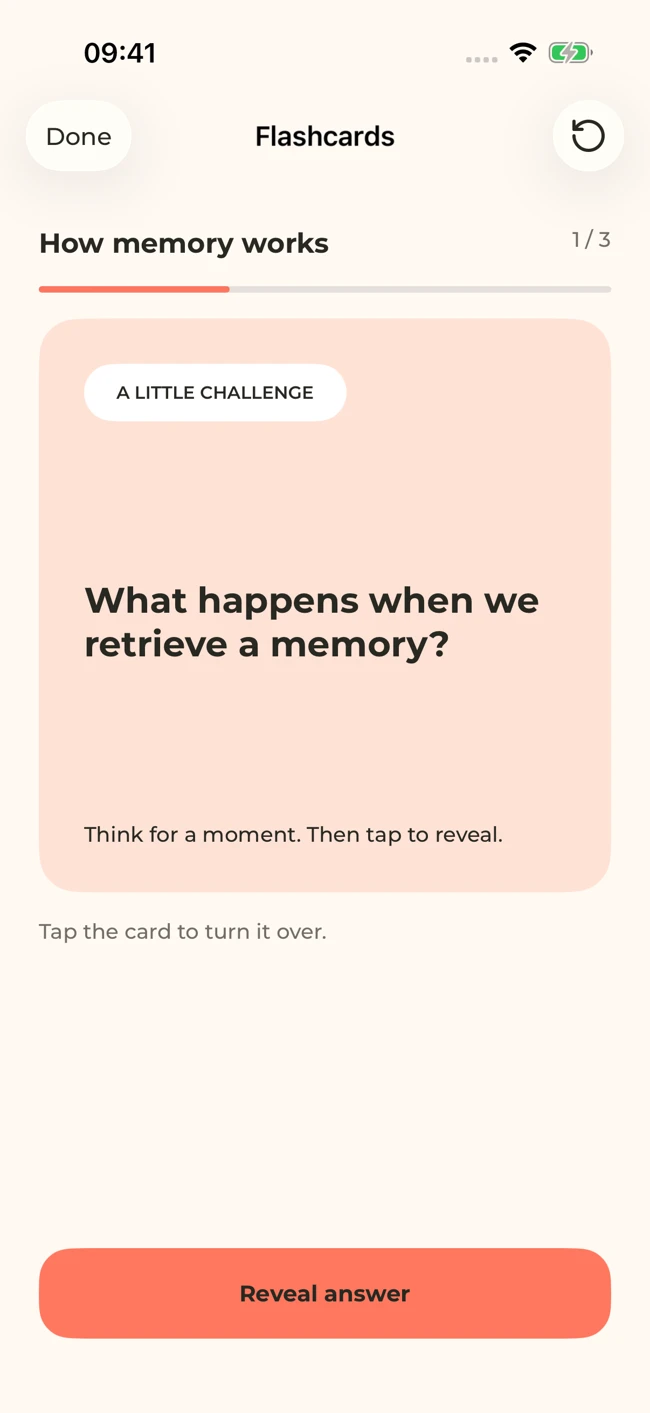
A MelonNote flashcard screen with sample study content. Attempt an answer before revealing it. Your generated questions will depend on your notes.
iPhone and Android · Features and screen layouts may differ.Also check omissions. A deck may contain valid questions while missing a condition written in the margin. Compare the set with a short list of the page's main ideas. That list helps you evaluate coverage without assuming every handwritten line deserves its own card.
Give one handwritten page a useful next step.
Add a clear photo to MelonNote, inspect the resulting note, and generate a small set of questions from the material you have checked.
Free download. In-app purchases available.
What should you do with diagrams and arrows?
Keep the original diagram visible while checking any generated explanation. An arrow may mean “causes,” “moves to,” “is part of,” or simply “read this next.” Those relationships are not interchangeable. Write down the intended meaning if the drawing alone is ambiguous.
A text question can test what a connection means. It does not establish that you can reproduce the whole diagram or recognize a label in a new image. For that goal, add a drawing or labeling exercise using the original source and check it afterward.
This workflow does not promise automatic image-occlusion cards, where parts of an image are hidden for recall. If that feature is central to your study method, the MelonNote vs Anki comparison explains why a specific card type can be more important than the general label “AI flashcards.”
What if the handwriting is too difficult to read?
Improve the source before asking for more output. Try a closer, sharper photograph without losing context. If a few words are still unclear, check the original lesson material or ask the person who wrote them. Do not accept a confident guess simply because it fits the sentence.
For especially dense formulas, write a clean version and include the meaning of each symbol. For abbreviations, expand them once. For crossed-out text, make clear which statement is the correction. These steps are useful even when you are creating cards manually.
If the note combines several topics, separate it into focused pieces. The combined-notes guide can help you bring related pieces together later. Capture should preserve information; a study set should select the information relevant to a particular learning task.
How should you study the finished cards?
Attempt the answer before revealing it. For a calculation, write the steps and units instead of only saying the final number. For a definition, explain it in your own words and compare it with the source. Mark the ideas that require another look using the review controls available to you.
After a few cards, close the app and explain how the ideas connect. If you can recall the formula but cannot identify when to use it, another example may help more than another definition card. Our flashcard-writing guide shows how to build more specific prompts.
Keep a manageable review set. Photographing a notebook does not require you to memorize every sentence in it. Select the concepts, distinctions and procedures that matter for your course, and keep the rest as reference material.
Common questions
Can MelonNote read any handwriting?
No universal recognition guarantee is made here. Clear photographs and legible writing provide a better source, but symbols and context still need checking. If you cannot verify the extraction, do not turn it into material you repeatedly memorize.
Can I do this on iPhone and Android?
Both store listings describe photo capture or image analysis and note-based flashcards. Check the current version's controls and access limits. See the iPhone guide or Android guide for the official app links.
Is photo-to-flashcard generation unlimited for free?
MelonNote is free to download with in-app purchases. This article does not promise unlimited free analysis or card generation. Check the current purchase screen before processing a large notebook.
Check generated material against your original notes. App features, access limits, and screen labels can vary by platform and version.
Give one handwritten page a useful next step.
Add a clear photo to MelonNote, inspect the resulting note, and generate a small set of questions from the material you have checked.
Free download. In-app purchases available.