
To organize notes for an open-book exam, build a short index that connects each topic to a claim, supporting evidence and an exact source location. Then practice using that index to answer realistic questions. A searchable pile of documents is less useful than knowing which source can support which part of an answer.
Start with the assessment rules. Open-book does not automatically mean unrestricted internet access, collaboration, AI tools or mobile apps. Use MelonNote during preparation only where permitted, and create your final exam resources in an allowed format.
Find out what “open-book” means for your assessment
Read the instructions for permitted resources, device access, citation expectations and time limits. If something is unclear, ask the course team before preparing a resource around it.
The University of Melbourne's open-book exam guidance emphasizes understanding the material and organizing resources clearly. Being allowed to consult notes does not remove the need to practice applying concepts.
Make a short rules box at the top of your preparation document: what you may bring, what you may open, and what you must produce independently. Keep this separate from your subject notes so it is easy to check.
Organize around questions, not file names
“Lecture 7” identifies a source, but it does not tell you when to use it. “When is this explanation insufficient?” identifies a task. Build your index around recurring questions, distinctions and methods from the learning objectives.
For an illustrative research-methods course, useful headings might be participant selection, measurement, causal claims and generalization. Under each, record the source that explains the idea and one case you could apply it to.
Do not predict the exact exam question. Build flexible connections that help you reason when a familiar concept appears in a new scenario.
Use a topic-and-evidence index
Copy the open-book exam index template. The filled entries below use an invented course example; replace the source locations with your real materials.
| Topic or question | Useful claim or method | Source location | Boundary to remember |
|---|---|---|---|
| Who does this survey describe? | Separate the target population from the people observed | Lecture 3, slides 8–11 | A large response count does not establish representativeness |
| Can this comparison isolate a cause? | Identify other differences between groups | Reading 2, section “Comparison” | Association alone may leave competing explanations |
| What would strengthen the design? | Match a design change to the stated limitation | Tutorial 4, example B | A change can address one limitation while leaving another |
The last column prevents you from using a remembered claim too broadly. It can be as valuable as the source reference, particularly when the question asks you to evaluate rather than describe.
Keep the index short and the sources intact
Use the index as a route into your materials. Keep detailed derivations, quotations and longer examples in their original sources. A short index that points reliably to them is easier to maintain than a rewritten textbook.
Choose source labels you can recognize quickly. “Methods reading — sampling — section 2” is more useful than download-final-3.pdf. Our university note organization guide suggests a consistent naming approach.
If printed materials are required, test your references on the actual printout. PDF page numbers and printed chapter numbers may differ. If digital material is allowed, verify that the files will be accessible under the exam's actual conditions.
Prepare the source library in MelonNote
Import permitted PDFs or process lecture notes, check their contents, and place related material into clear course folders. Use descriptive note titles. When several notes address the same course question, a combined study set can help you examine their connections.
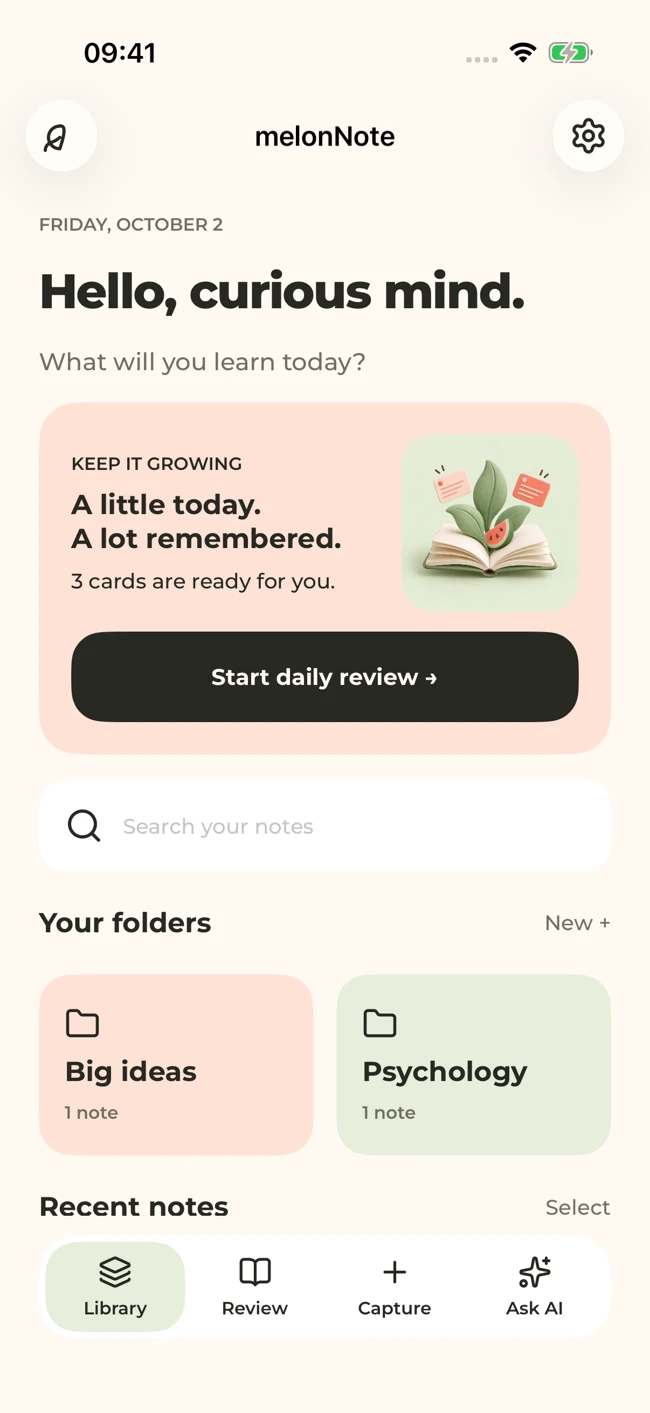
A MelonNote library screen with sample folders. Give notes and folders names that help you find the right source for your study question.
iPhone and Android · Features and screen layouts may differ.The combined-notes workflow explains how to study sources together. Use the app's summary and tutor tools to clarify an idea during preparation, then verify the claim in the original material and enter the source reference yourself.
The index is an external study document you create; this article does not assume an automatic MelonNote index-export feature.
Bring your sources together before exam day.
Use MelonNote to organize and study your course material, then prepare the final reference resources your assessment allows.
Free download. In-app purchases available.
Practice finding and using evidence
Take one representative practice question and attempt an answer under conditions similar to the assessment. Notice where looking things up interrupts your reasoning.
Record the problem precisely:
- If you cannot find the source, improve its label or index entry.
- If you find it but cannot explain it, revise the concept and try a new example.
- If you quote a passage without answering the question, practice connecting the evidence to your claim.
- If the source does not support your statement, narrow the statement or find the right evidence.
Do not respond to every difficulty by adding more pages. Sometimes the useful change is removing a duplicated explanation or replacing a vague heading with a clear question.
Prepare a flexible answer structure
For a question asking you to evaluate a claim, a useful practice structure is: state your judgment, explain the relevant principle, apply evidence to the scenario, and acknowledge a limit. Adapt that structure to your course's marking criteria.
This is a preparation scaffold, not a prewritten answer to submit regardless of the question. Practice with different scenarios so you can recognize when the same principle applies and when it does not.
Do a final resource check
Confirm permissions, file access or print quality, source labels and page references. Remove entries you cannot explain. Keep a separate list of unresolved concepts and use the revision plan to schedule focused practice.
An open-book resource is ready when it helps you locate evidence and use it accurately. Its value comes from the thinking it supports, not the number of pages you are allowed to bring.
Check generated material against your original notes. App features, access limits, and screen labels can vary by platform and version.
Bring your sources together before exam day.
Use MelonNote to organize and study your course material, then prepare the final reference resources your assessment allows.
Free download. In-app purchases available.