
To turn lecture notes into a study podcast in MelonNote on iPhone, begin with a note containing a checked transcript, open its study tools and choose Create a podcast. Review the available episode settings, create the audio, then check what it says against the source. Add your own recall questions so listening leads to something you can explain.
This guide covers the transcript-based iPhone workflow documented in the App Store release history. It does not assume every external audio file can be imported or that the same podcast controls exist in every Android version.
Choose one transcript worth hearing again
Start with a bounded explanation rather than an entire mixed-topic course. The source should contain the definitions, example and qualifications you want the episode to preserve. A list of slide headings is a weak starting point if the spoken explanation supplied the actual reasoning.
For a lecture you record, follow your class's permission and AI-use rules. Check the transcript before making another resource from it. The audio-to-text workflow covers that earlier step. An error that survives into a transcript can appear again in the audio review.
Keep the original recording or course source available. A generated study podcast is a new explanation based on the note, not a verbatim replay of the lecturer.
A short transcript for an accuracy exercise
Here is an original teaching script you can read aloud to create your own test recording. It is not a captured app result or a real lecturer's material:
A map scale of one to twenty-five thousand means that one unit on the map corresponds to twenty-five thousand of the same units on the ground. One centimetre on the map therefore corresponds to twenty-five thousand centimetres, or two hundred and fifty metres. A straight line measuring three centimetres on that map represents seven hundred and fifty metres. This is a map-distance calculation, not a claim about walking time. A winding route can be longer than a straight line between the same endpoints. If you resize a printed map, the original numerical scale no longer describes that changed print size.
Before generating audio, verify the arithmetic yourself: 25,000 cm ÷ 100 = 250 m, and 3 × 250 m = 750 m. The example's distinctions—same units, straight-line distance and changed print size—matter as much as the numbers.
Make a checklist before pressing create
| Item to preserve | What to listen for in the generated episode |
|---|---|
| Scale ratio | One to twenty-five thousand, not twenty-five hundred |
| Unit conversion | One centimetre corresponds to 250 metres |
| Worked result | Three centimetres corresponds to 750 metres |
| Scope | The result describes distance, not journey duration |
| Qualification | Resizing the print changes the numerical-scale relationship |
For a real course note, substitute names, dates, equations, definitions and exceptions. Write down the non-negotiable details before listening. Otherwise, a fluent episode can make it harder to notice what was omitted.
Create the podcast in MelonNote on iPhone
The iPhone workflow provides these steps; wording can vary by release:
- Open the note that contains the usable transcript.
- Open Study tools and choose Create a podcast.
- Review the available format, episode-length and speaker settings. A topic-focus field can help narrow the requested explanation.
- Choose Create my podcast and wait for generation and download to finish.
- Play the result and compare it with your checklist.
Start with a short, focused review so it is practical to inspect the whole result. A selected episode length is a request, not a guarantee that every source detail will appear. Review the app's current access terms before generating or regenerating audio; free download does not mean unlimited use of every feature.
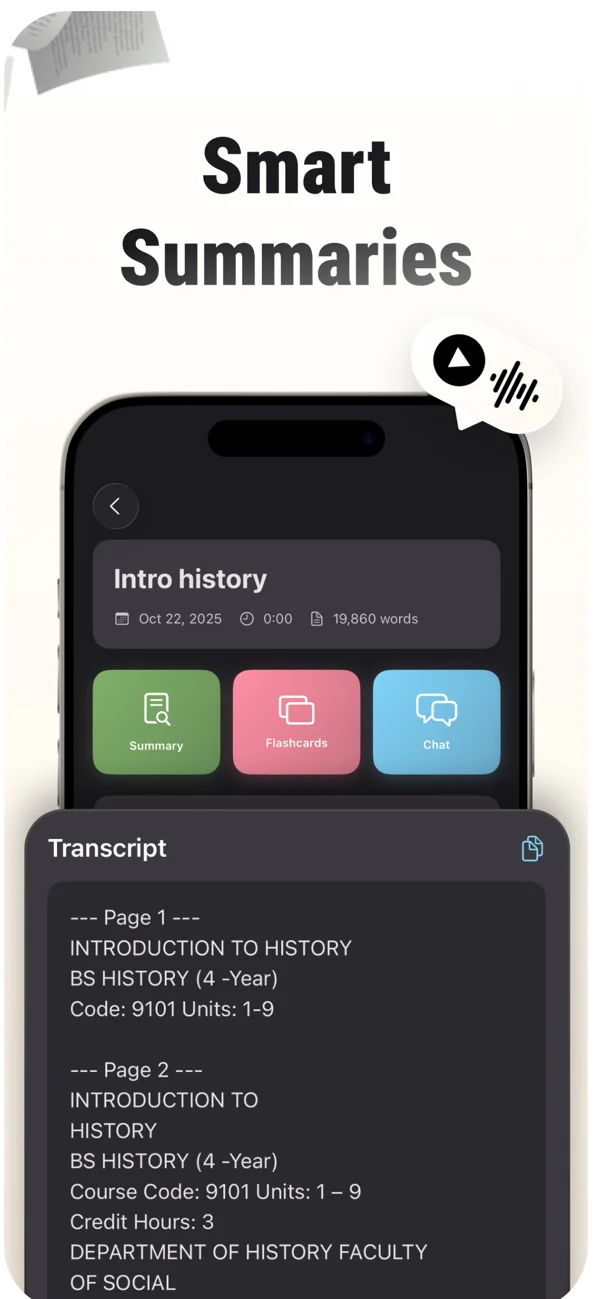
An App Store screenshot showing a note and its study tools. Keep the original source available while reviewing summaries, cards and tutor explanations.
iPhone and Android · Features and screen layouts may differ.The App Store image above shows general note tools, not a generated episode from our map-scale example. The transcript and checklist in this article are editorial resources you can use for your own test.
Give a checked transcript an audio review.
On iPhone, use a transcript note in MelonNote to create a study podcast. Listen critically, then pause and explain the important ideas without the audio.
Free download. In-app purchases available.
Listen once for accuracy
During the first pass, follow the source rather than treating the episode as background audio. Pause when a number, term or relationship is unclear. Write down what the audio said and compare it with the original sentence.
An intentionally incorrect paraphrase would be: “Three centimetres means the walk takes seven hundred and fifty seconds.” The source supplies a distance in metres, not a time in seconds. Do not accept a smooth-sounding unit change because the number is familiar.
If an important idea is missing, keep it in your written review. If an explanation is wrong, return to the source and record the correction before relying on the episode. Regenerating is not a substitute for inspecting the next result too. The transcription-mistakes guide can help you determine whether an error began in the original text.
Listen again with pause-and-recall questions
On the next pass, pause after each main idea and attempt a question without opening the source:
- Why must the map and ground units initially be the same in a ratio scale?
- What distance would four centimetres represent at 1:25,000?
- Why does a straight-line measurement not tell you the length of every possible route?
- What must you recheck if the map is printed at a different size?
For the calculation, four centimetres represents 1,000 metres, or one kilometre. Explain the conversion rather than only stating the result. For the other questions, compare your wording with the transcript and retain its limits.
These are reader-run pauses; this article does not claim that MelonNote automatically inserts or grades this exact exercise. You can also use the note's tutor for a focused follow-up or make supporting flashcards from the checked material.
Know when to switch back to a visual source
A podcast can review a verbal explanation, but some material needs the page in front of you. Use the diagram for spatial relationships, the written expression for a long equation and the actual passage when wording is important.
For the map example, inspect the scale and route on the map before applying the calculation. For biology, combine the audio explanation with diagram reconstruction. Changing medium should not remove information the task requires.
Our commute study routine covers fitting a small review into travel time. Save activities that need a screen, writing or sustained calculation for a suitable place to do them safely.
Common questions
Can I create a podcast from any PDF or slide deck?
This walkthrough starts from a note containing usable transcript text. If your source is a document, inspect the resulting note and available controls rather than assuming every file type or layout will produce a suitable episode. Sparse slides may need their missing explanation first.
Is listening enough to prepare for an exam?
Check what you can produce afterward: explain the idea, solve a new case or answer a question. Listening familiarity alone does not show that you can perform those tasks. Pair the episode with a short closed-source attempt.
What if the app says there is no transcript?
Return to the source note and check that transcription or supported text processing completed. An empty note cannot provide the material for this workflow. Resolve the missing content before trying to generate the podcast again.
Check generated material against your original notes. App features, access limits, and screen labels can vary by platform and version.
Give a checked transcript an audio review.
On iPhone, use a transcript note in MelonNote to create a study podcast. Listen critically, then pause and explain the important ideas without the audio.
Free download. In-app purchases available.